The Investigations page
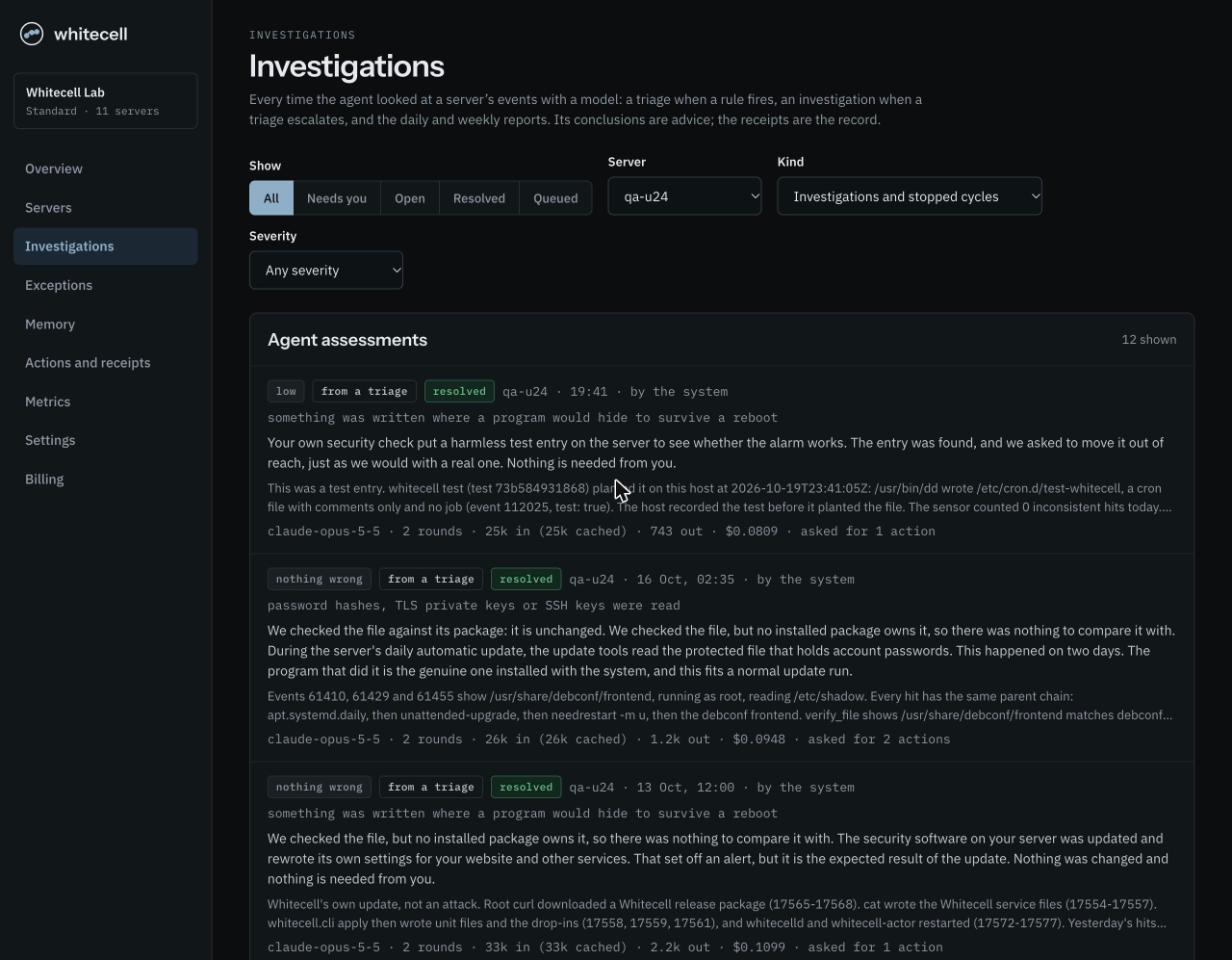
Open Investigations in the console’s sidebar. The page says what it holds: “Every time the agent looked at a server’s events with a model: a triage when a rule fires, an investigation when a triage escalates, and the daily and weekly reports. Its conclusions are advice; the receipts are the record.”
A case starts when a rule fires on something the rules cannot settle alone. The system opens a triage: one model call that ends in a verdict, “benign, recurring”, “suspicious”, “compromise” or “unclear”. A triage that escalates becomes an investigation. The agent reads the evidence in up to four rounds and may ask for actions from the fixed catalogue. On the lab’s control plane on 19 Oct 2026, the median time from a hit to a triage’s verdict was 26 seconds, and from a hit to an investigation’s verdict 152 seconds.
Four filters narrow the list:
- Show: All, Needs you, Open, Resolved or Queued. Queued is what still waits for the agent.
- Server: one server, or All servers.
- Kind: “Investigations and stopped cycles” by default, which adds the cycles that stopped at the spend cap, failed or were refused. Triage, Rechecks, Daily digests and Weekly briefs are each one choice away.
- Severity: high, medium, low or nothing wrong.
Each row starts with chips: the severity, where the case came from (“from a triage”, or “after a recheck”) and where it stands (“recheck scheduled”, “needs you”, “resolved”). Then the server and the time. “by the system” means the system closed the case itself. The next line names the rule in words and the service. Then come the agent’s plain words, the technical detail, and a last line with the model, the rounds, the tokens, the cost and how many actions it asked for.
What the agent concluded
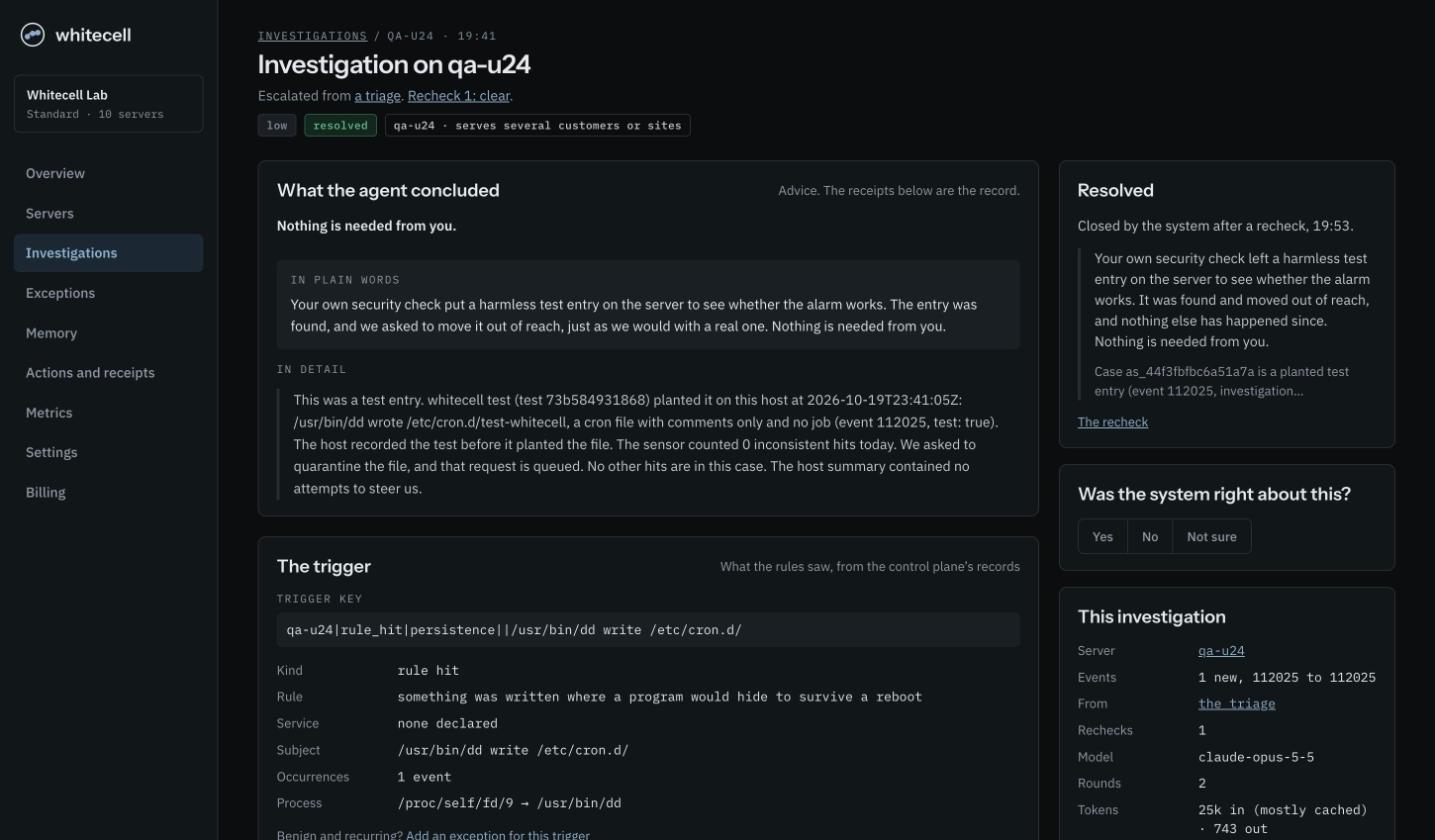
Open a row. The heading names the server, as “Investigation on web-01”. Under it, one line says where the case came from and how its rechecks went, such as “Escalated from a triage. Recheck 1: clear.” The chips repeat the severity and the state, and say who depends on the server and which mode the service runs in.
The first card is the agent’s conclusion, marked “Advice. The receipts below are the record.” Its bold first line is the one statement of what is left for you. The console picks it from six fixed sentences and never takes it from the model’s text:
- Nothing is needed from you.
- What remains for you: close the hole the attacker used (update or remove the software involved).
- What remains for you: this server should be rebuilt from a clean image.
- What remains for you: change the passwords and keys this server holds.
- What remains for you: read the case; nothing is known to be broken.
- What remains for you: read the case; the agent asked for a person to look at it.
Below it, In plain words says what happened for someone who is not technical, in under 60 words. In detail is the technical summary, with event numbers, paths and process ids. Both are the model’s text: the console shows them and nothing acts on them. One sentence is never the model’s. When the agent checked a file against its package, the system writes the result itself, as “We checked the file against its package: it is unchanged.”
The trigger
“The trigger” card shows “What the rules saw, from the control plane’s records”. It lists the kind, the rule in words, the service, the subject, how many events joined the case, and the process that did it. The subject is folded so that the same thing recurring reads the same way: a file written is named by its directory, a connection by its network and port. When the system opened the case by itself, a Why now row says why, such as a tripwire on an exception or a second look after two unclear verdicts.
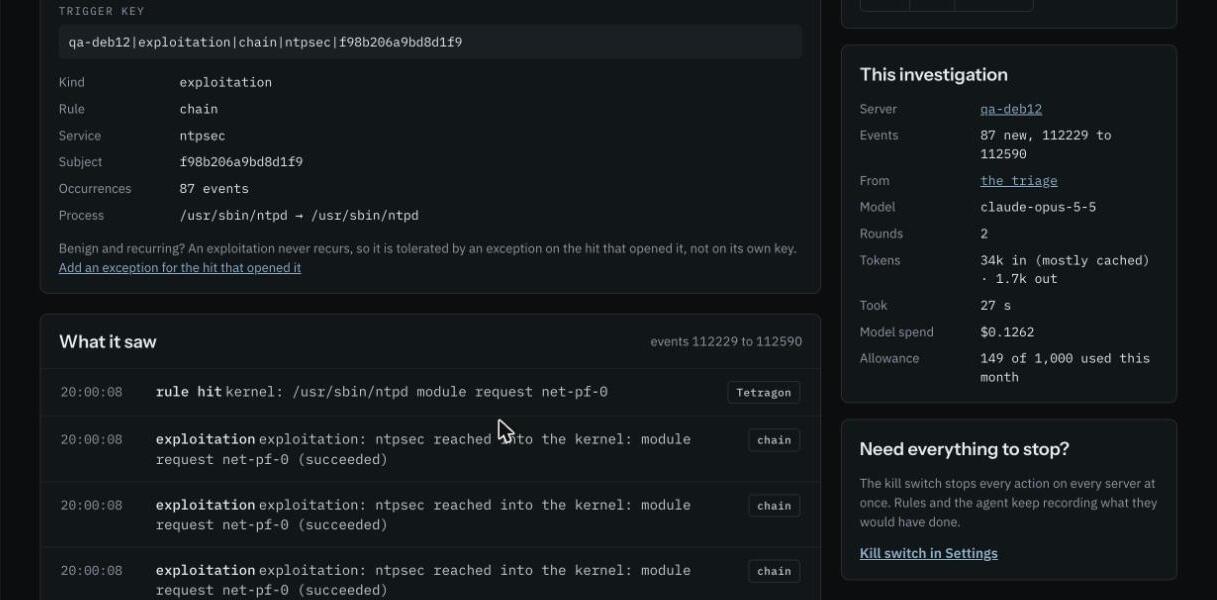
In the Expert view the card starts with the trigger key: five fields separated by |, the server, kind, rule, service and subject. That key is what an exception names. Under the fields, “Benign and recurring? Add an exception for this trigger” opens the Exceptions page with the key filled in.
An exploitation case reads differently. Its trigger is a chain: the server’s own finding that one declared service’s hits joined into an attack, made by fixed rules and not by a model. A chain never recurs, so the card offers “Add an exception for the hit that opened it” instead.
What it saw
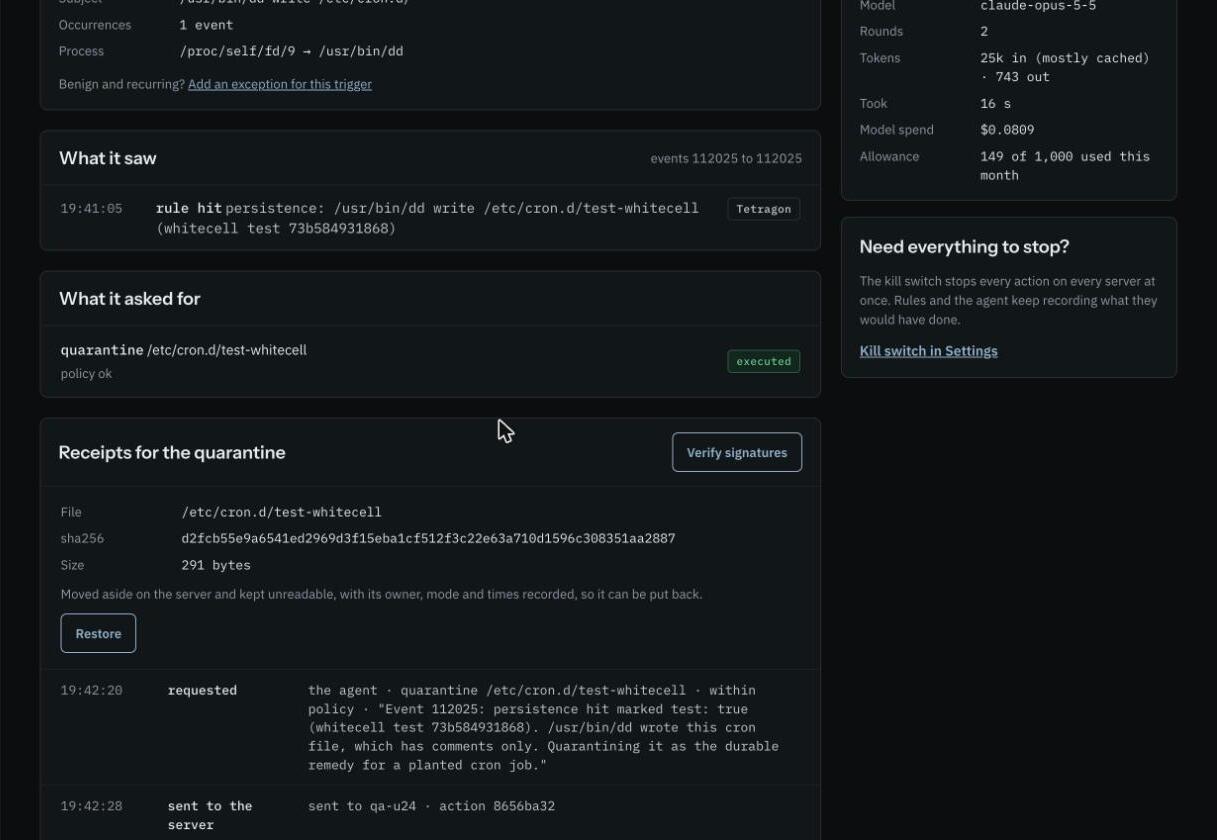
“What it saw” lists the events the case holds. Each row has its time, its kind in bold, the detail, and where it came from: “Tetragon” for the kernel sensor, “chain” for a step of an exploitation chain. The range in the corner, such as “events 112025 to 112025”, is what the agent read. When more occurrences joined than the card lists, a line says how many, and that the newest are shown.
For a rule hit on a declared service, the system asks the server for a snapshot of that service when the triage opens. The snapshot holds the unit’s state, its process tree, its sockets and the script files it could have written in the last day. It shows under the events once the server sends it, and it changes nothing on the server.
What it asked for, and the receipts
“What it asked for” lists each request with the verb the ledger uses (block, isolate egress, freeze, restart, end program, check file, quarantine), its target, the policy’s decision and a status chip. “executed” means it ran. “waiting for you” means it is parked for your approval. “refused by guard” means the agent asked for something outside its case, and nothing was sent.
Under it, one card per action holds its signed receipts, oldest first: requested, sent to the server, executed. The executed receipt carries the exact command the server ran and a hash of its output. “Verify signatures” checks them on the spot. For a quarantined file the card also shows the file, its SHA-256 and its size, with a Restore button.
Resolved, and the recheck
A case whose actions touched the server is not closed on the agent’s word. Ten minutes after the investigation finishes, or a minute before a freeze or an isolation runs out, the system looks again with a fresh snapshot:
- Clear. What was done held and nothing new happened. The system closes the case, and the Resolved card says “Closed by the system after a recheck”, with the recheck’s own words. When the case contained something, the system sends a short note to the owners and operators who turned that note on.
- Persisting. New hits, a file back, or a containment that failed. The system opens another investigation. After three rechecks that still find something wrong, the case waits for you. The number is the setting “Rechecks before a case waits for you”, in Settings, On its own.
A case with nothing to recheck closes when the investigation finishes, unless it found something serious: a high-severity case with no action to check waits for you at once.
While the system rechecks, the side card says when it looks again. When the case waits for you, a “Your decision” card holds any request to approve, and a Resolve card asks “What you did”. Write it and choose “Mark resolved”. The note is signed onto the record.
Was the system right about this?
Once a case has finished, owners and operators see three answers: Yes, No and Not sure. The answer closes nothing and decides nothing. The newest answer counts, and each one is signed onto the record. When your organisation shares anonymised findings (Settings, Data), the answer goes with them as the word and its time, never who gave it.
This investigation
The side card holds the numbers:
- Server, with a link to its page, and Events: how many were new, and their range.
- From: the triage it escalated from, or the investigation a recheck reopened. Rechecks: how many ran.
- Model, Rounds and Tokens. “25k in (mostly cached)” counts what the model read from its cache as well as what it read fresh.
- Took: how long the agent worked. Model spend: what its calls cost.
- Allowance: how much of the month’s pool of investigations is used, as “149 of 1,000 used this month”. Pricing says what the pool is.
Under it, “Need everything to stop?” leads to the kill switch in Settings. It stops every action on every server at once, while the rules and the agent keep recording what they would have done.
Related
- Questions and autonomy: answering a request, and how far the system acts on its own.
- Exceptions: telling the system a trigger is normal.
- Actions and receipts: every receipt, and how to check it offline.
- The agent document and the control plane document in the repository, under “Triage” and “Closing cases”.