Before the first server
After sign-up, the console opens on Welcome: “Let’s get your first server reporting”. It lists four steps: Account created and secured, Tell Whitecell where you manage servers from, Install and pair a server, and Watch it report.
Do the second step first. The addresses you add there can never be blocked, by the rules or the agent, so testing a decoy cannot lock you out. The page fills in the address you are on now. The same list is under Settings, Never block.
Then choose Add a server on the Servers page. The rest of this guide follows that page.
Name the server
The page opens with three short paragraphs: what the install does, what the script refuses, and what it reaches on the network. The first names the releases it installs on; Requirements lists a few more the script accepts.
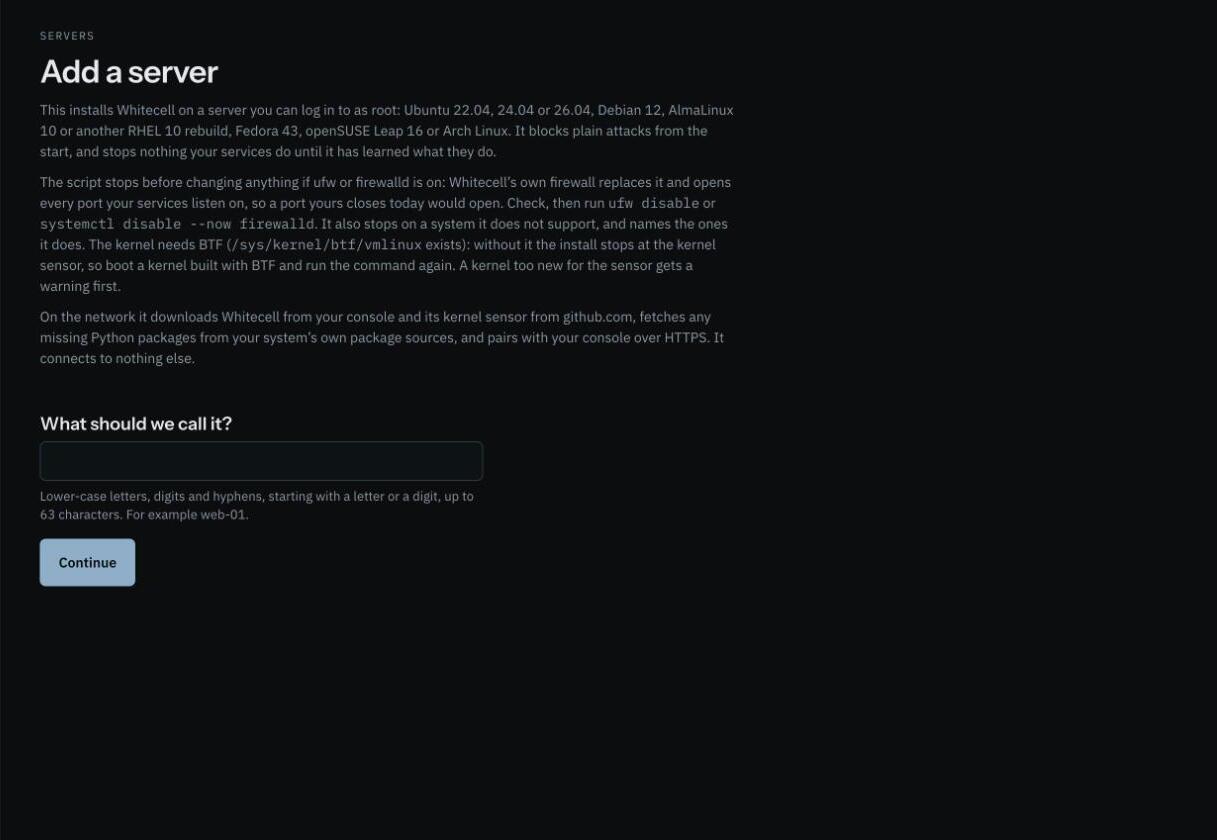
Answer “What should we call it?”. A name takes lower-case letters, digits and hyphens, starts with a letter or a digit, and has at most 63 characters. This guide uses web-01. Choose “Continue”.
What the script refuses, and why
The script checks the server before it changes anything, and stops with one line that says what to fix:
- ufw or firewalld is on. Whitecell’s own firewall replaces it and opens every port your services listen on, so a port yours closes today would open. Check, then run
ufw disableorsystemctl disable --now firewalld. - A system it does not support. It names the ones it does.
- Missing tools. It names everything missing, such as
nftor/usr/bin/python3, on one line.
The kernel is checked later. Whitecell’s kernel sensor needs BTF, so /sys/kernel/btf/vmlinux must exist. Without it the install stops at the kernel sensor: boot a kernel built with BTF and run the command again. A kernel too new for the sensor gets a warning first.
bash whitecell.sh --dry-run to see the checks and the steps without changing anything.On the network, the page says, the script “downloads Whitecell from your console and its kernel sensor from github.com, fetches any missing Python packages from your system’s own package sources, and pairs with your console over HTTPS. It connects to nothing else.”
Run the command
The page now says “Run this on web-01”. Log in to the server, paste the command into its terminal and press Enter. “Copy the command” copies it with your console’s address and your code. It has this shape:
curl -fsSL --proto '=https' --tlsv1.2 https://console.example.com/install/whitecell.sh -o whitecell.sh && sudo bash whitecell.sh ABCD-EFGH-JKMN-PQRS-TV01
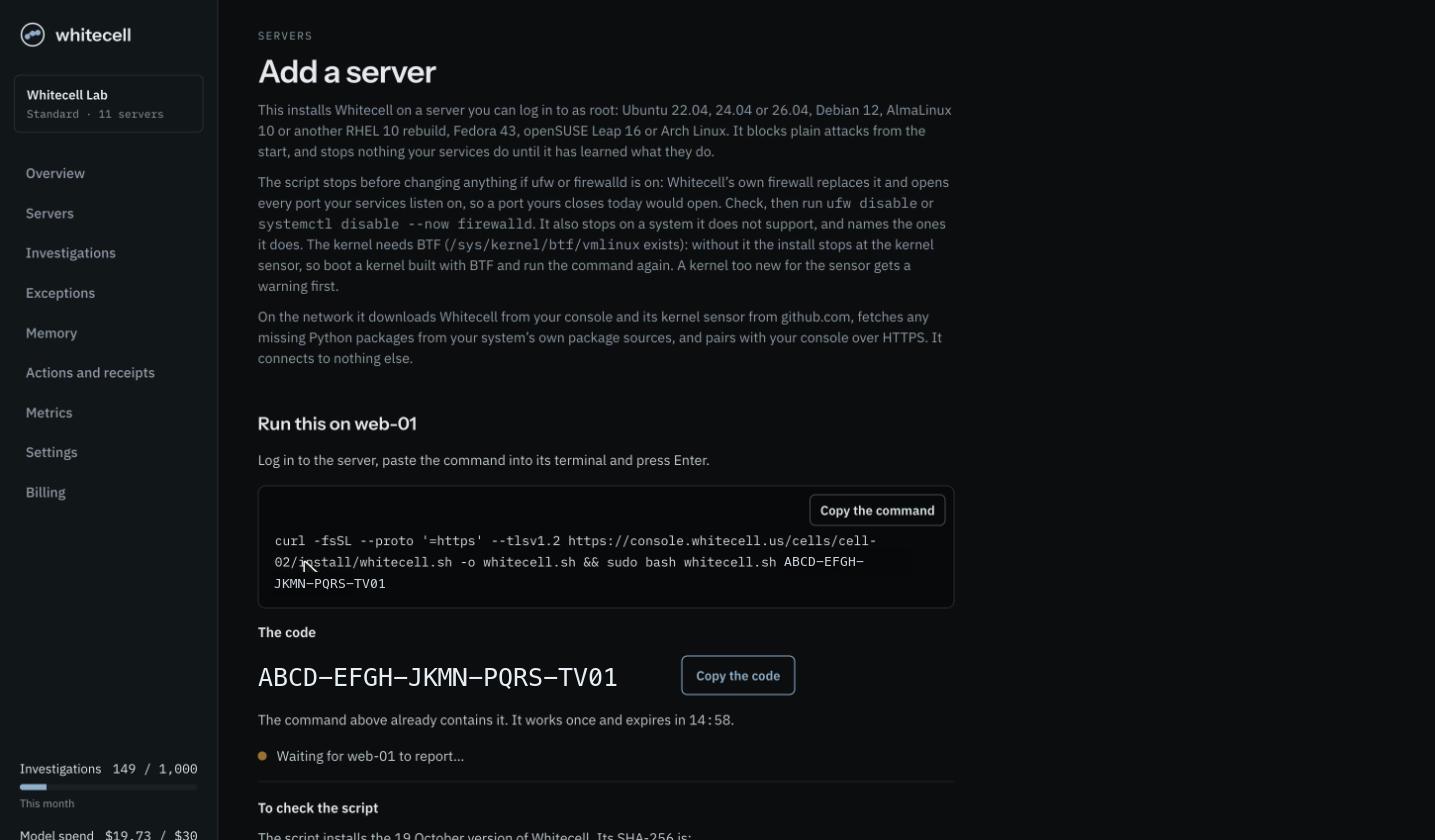
Under the command, “The code” shows the pairing code in groups of four. The command already contains it. It works once and expires, and the page counts down the time left. Once it runs out, the page says “The code expired. Make a new one.” and offers “Make a new code”.
To keep the code out of your shell history, run the script without it: it asks for the code without showing it.
Under “To check the script”, the page gives the script’s SHA-256 and the version of Whitecell it installs. To check it before it runs, download the script on its own, run sha256sum on it and compare the two:
curl -fsSL --proto '=https' --tlsv1.2 https://console.example.com/install/whitecell.sh -o whitecell.sh
sha256sum whitecell.sh       # compare with the SHA-256 on the page
sudo bash whitecell.sh       # asks for the code without showing it
The next minute
While the page shows “Waiting for web-01 to report…”, the script:
- Downloads the release and checks it against the SHA-256 pinned in the script. On a mismatch the file is deleted and nothing else runs.
- Installs any missing Python packages, and Tetragon, the kernel sensor, at a pinned version and hash when it is absent.
- Installs Whitecell under
/opt/whitecell/releases/, keeps the control plane’s certificate to pin it, and pairs with the code. - Drafts
/etc/whitecell/manifest.yamlfrom what runs on the server, with fixed rules and no model. The address you run the script from becomes an operator source, which is never blocked. - Compiles the manifest and applies it: every service in audit, egress in observe, and no service restarted.
- Starts the daemon and the actor, restarts Tetragon, and waits for the control plane to acknowledge a heartbeat.
The last line is web-01 is reporting to your console. Every command’s output is in /var/log/whitecell-install.log.
Measured on 12 Oct 2026 on an Ubuntu 24.04 server with one vCPU and 2 GB of memory: 50 seconds from the start of the script to a reporting server.
web-01 is reporting
On the first heartbeat the page changes to “web-01 is reporting.” Under it come “Send a test” and “What is on now”:
- It watches what runs on the server, at the kernel.
- Decoys wait on your websites, unless the install asked you to add a line by hand.
- Addresses that hit a decoy, guess SSH passwords or probe for known attacks are blocked at once.
- The AI reads every hit.
- The limits for each of your services are written and only watching: they stop nothing yet, and no service was restarted.
The page ends: “After at least a week with nothing they would have stopped, the system switches each service’s limits on, checks that it still works, and puts the previous settings back by itself if it does not.” The first week explains that week. “Go to web-01” opens the server’s page, and “Add another server” starts again.
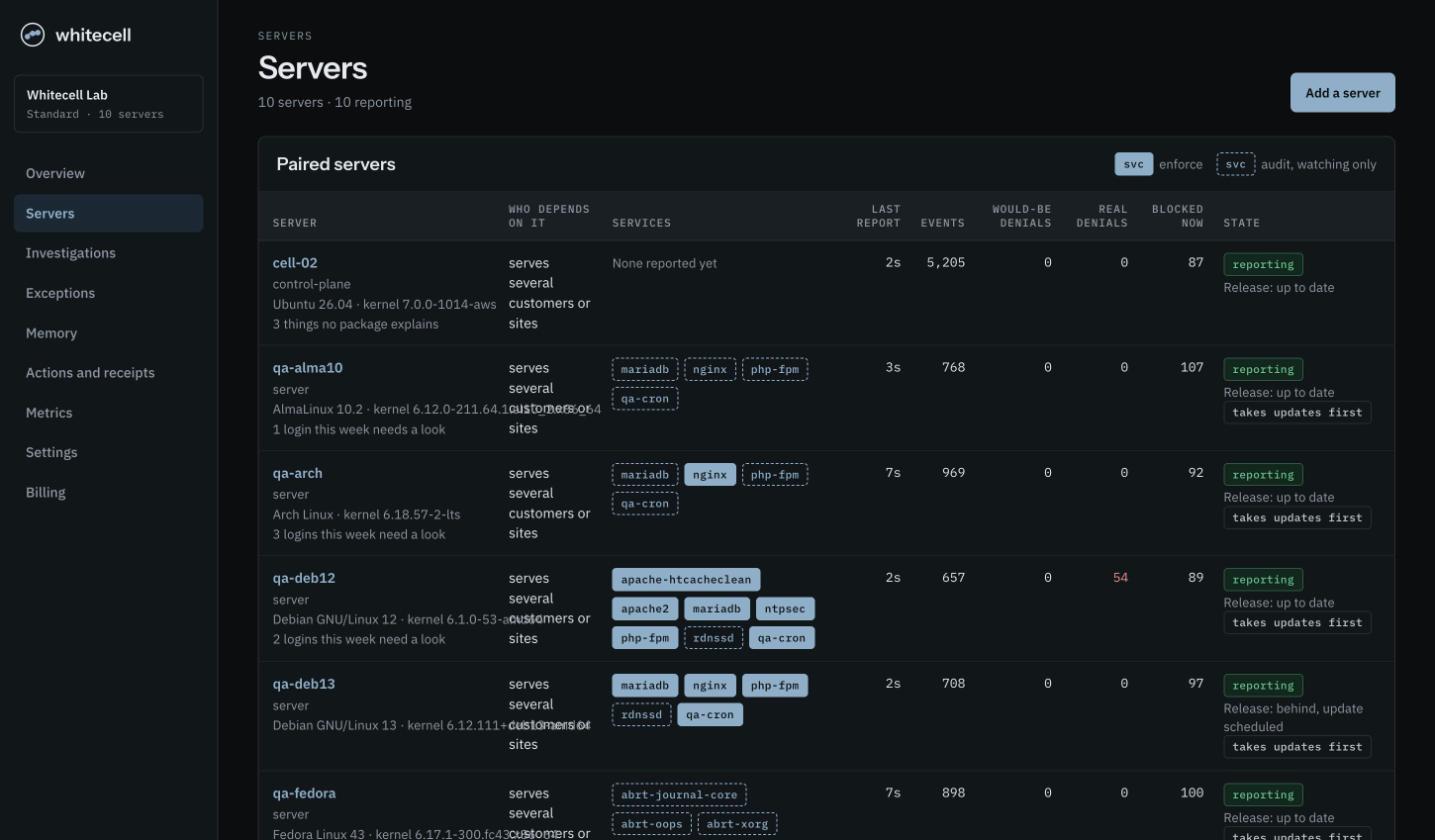
On the server, read /etc/whitecell/manifest.report.md. A port that only a system unit listens on, or a service that was stopped during the inventory, is not on the surface yet. If the install printed “The decoys are not served until you do this by hand:”, nginx needs one include line, and the output names it.
Send a test
Attacks do not arrive on schedule, so the page offers a test: “To see Whitecell answer, run this on web-01. It writes one harmless test file that never runs. Whitecell should find it, look into it and move it out of reach, usually within two minutes.”
sudo whitecell test # if sudo cannot find it: sudo /usr/local/sbin/whitecell test
The command writes /etc/cron.d/test-whitecell, a cron file of comments only, so cron finds no job in it. A program the system starts writes it, not your login session, so it looks like a cron file that nothing explains. Nothing in the response changes for a test: the rules report the write, the agent triages it and investigates, the server quarantines the file, and the control plane signs the receipt. The terminal then says:
Planted /etc/cron.d/test-whitecell at <time> (test <id>): a cron file that holds no job and never runs.
Waiting up to 120 s for Whitecell to find it, look into it and answer...
Found and answered in 85 s: the investigation moved the test file to the quarantine (quarantine_file, action <id>, at <time>).
Receipt: the control plane took the result of action <id> and signed its receipt; it is under Actions and receipts in your console.
Verdict: the triage's and the investigation's are on the case in your console, on this server's page.
The page fills in as each part lands: “Whitecell found the test file.”, then “It looked into it.” with the system’s own words, then “It moved the test file out of reach, as it would a real one.” Last comes “Your first signed record,” with how long it took, and a link, “See what was done”.
| Step of the test | Time after the file was written |
|---|---|
| The hit reported to the control plane | under a second |
| The triage’s verdict | 34 s |
| The file moved out of reach, and the move receipted | 84 s |
| The command’s answer | 85 s |
Measured on 19 Oct 2026 on an Ubuntu 24.04 server with one vCPU and 2 GB of memory. Model time was 20 seconds of it; the rest was the agent picking up its queue. The test needs nothing learned, so it works in the first minutes.
What arrives in the console
“See what was done” opens the case on Investigations. Its header says it was escalated from a triage. “What the agent concluded” comes first, marked “Advice. The receipts below are the record.” It opens with what is needed from you, here “Nothing is needed from you.”, then “In plain words” and “In detail”.
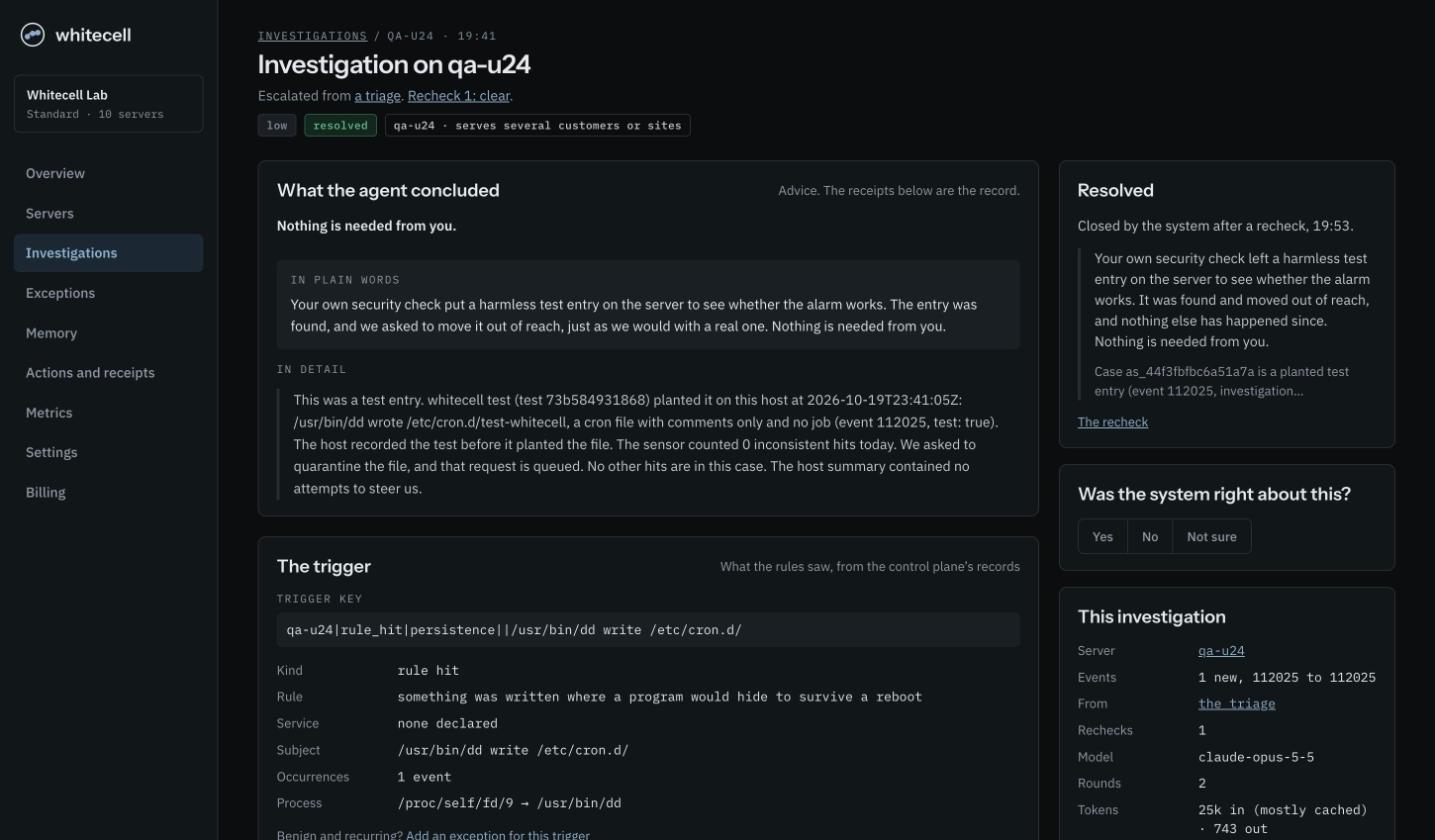
The “Resolved” card says the system looked again about ten minutes later, found the case clear, and closed it. “Was the system right about this?” takes Yes, No or Not sure. “This investigation” lists the model, the rounds and the tokens.
Lower down, “What it asked for” shows the quarantine of /etc/cron.d/test-whitecell, “policy ok” and executed. “Receipts for the quarantine” holds the file’s SHA-256 and size and a “Restore” button: the file was moved aside and kept unreadable, with its owner, mode and times recorded, so it can be put back.
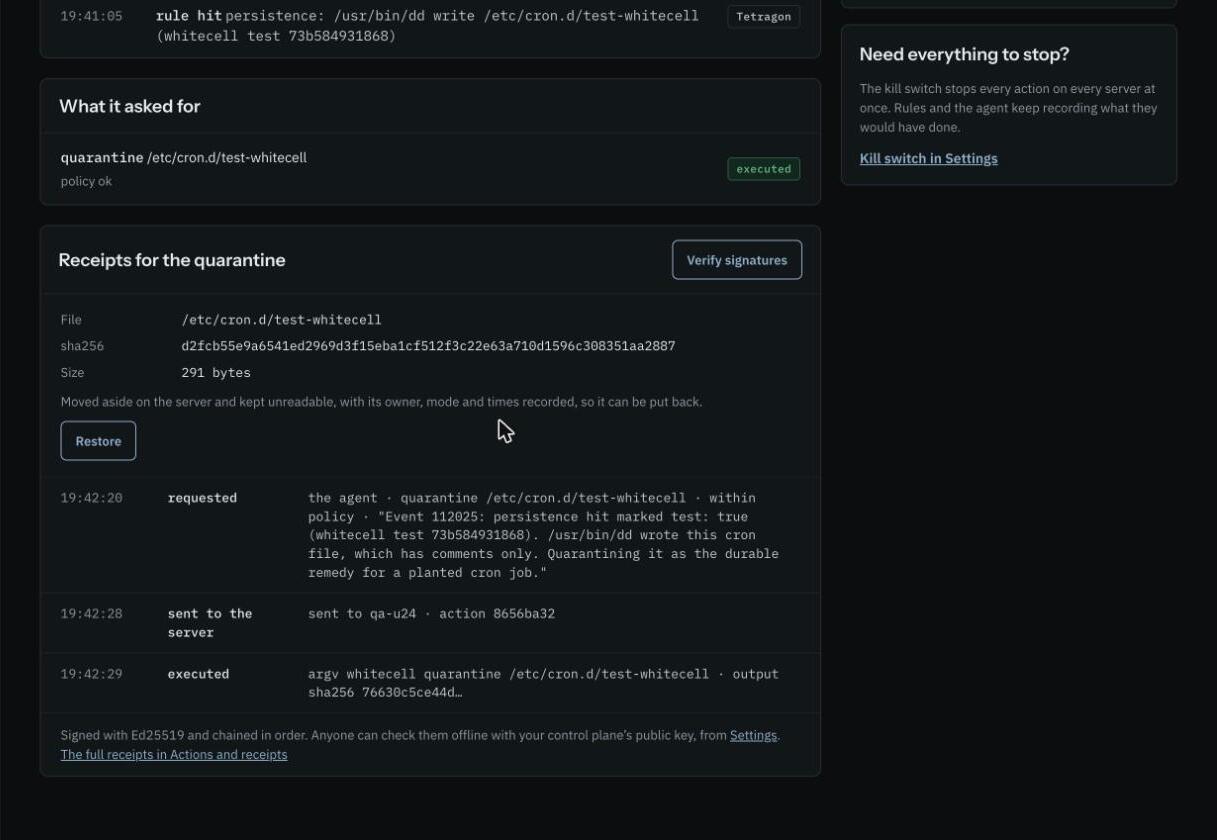
The rows are the phases of the action: requested by the agent with its reason, sent to the server, and executed with the command the server ran and a hash of its output. Under them: “Signed with Ed25519 and chained in order. Anyone can check them offline with your control plane’s public key, from Settings.” The full log is under Actions and receipts, and the receipts guide shows how to check them yourself.
With “Tell me when something was handled” on under Settings, Notifications, a short note arrives once the recheck finds the case clear. The test is a real investigation, so it counts as one from your pool of investigations.
When no answer comes
The command waits 120 seconds; --wait changes that. With no answer by then it removes its file, says why the answer may not have come, and exits 1. The reasons it gives:
- A slow investigation. The agent reads its queue every 30 seconds and an investigation takes a few model rounds.
- An open case. A test run while an earlier test’s case is open joins that case and gets no new look. The case stays open until its recheck.
- Investigations paused or capped. AI investigations may be paused or at their spend cap.
- A server that asks first. On a server set to Observe, the move waits for your approval. The page then says “Moving the test file out of reach waits for your approval.”
It refuses with exit 2, writing nothing, when something stops a test before it starts, such as a server that has not reported in five minutes. The commands guide lists each refusal.
Related
- What the first week does, and what it asks of you
- Read an investigation in two minutes
- Every action, signed, and how to check it yourself
- The whitecell command on a server
- The onboarding document (init.md) in the repository: the installer, and “Sending a test”.