Who operates it
The Billing page in the console carries a card, “Moving to self-hosting”, that says the whole plan in one line: “Export every receipt, point your servers at your own control plane, and keep going. Your servers keep running Whitecell the whole time, and nothing is held back.”
Both ways “give every server the same protection, from the same code. The line is drawn at who operates it: who runs the control plane and the agent, who pays for the model’s calls, who publishes releases and who answers the pager.” The open-source page sets the two side by side:
| Run it yourself | Managed | |
|---|---|---|
| The control plane | You run it, on a machine of your own apart from the servers it protects. | Run for you, one for each organisation, apart from your servers. |
| The model’s calls | Your own Claude API key, any server that speaks the OpenAI Chat Completions API, or a model you host. | Included up to a pool of investigations, then from prepaid credit, under a cap you set. |
| Releases | You render the installer and publish each release. | Signed releases, rolled out in waves. |
| Paging and mail | A webhook, SMTP, or both, which you set up. | Email from Whitecell. |
| Fleet learning | Not available, because it learns across many organisations. | On by default; an owner can turn it off. |
| Price | No licence fee, no host limits, no licence keys. | On the pricing page. |
Everything that runs on your infrastructure is open source under Apache-2.0: the compiler, the rule pack, the decoys, the daemon and the actor, the installer, the control plane, the agent and the benchmark. The open-source page says “The repository opens with the first release made for users.” Everything except the agent works with no model at all.
What self-hosting takes
In outline, from the docs page’s Run it yourself; the full bring-up is the control plane document’s “Two-box deployment”.
- A machine of your own for the control plane and the agent, never one of the servers it protects. It runs Whitecell’s daemon and actor too, and is protected like any other server.
- The control plane on it, from a checkout of the repository: install the daemon, the actor and the control plane, give the control plane its own certificate, create the first operator token, a pairing code for each server and a token for the agent, then install the agent with the daily digest and the weekly brief.
- Each server paired to it: copy the control plane’s certificate to the server, pair with the code on standard input, and install without the control plane.
- A model for the agent: its model and key go in
/etc/whitecell/agent.env, and any OpenAI-compatible server works. Run a model throughwhitecell benchbefore it leaves dry-run.
sudo WITH_CP=1 scripts/install-daemon.sh .      # daemon, actor and control plane
sudo scripts/cp-tls.sh 203.0.113.10             # its own certificate; every server pins it
whitecell cp init --label you                   # the first operator token
whitecell cp host add web-01                    # a one-time pairing code
whitecell cp token create --role agent --label runtime
sudo scripts/install-agent.sh                   # the agent, the daily digest and the weekly brief
On each protected server:
whitecell pair --cp-url https://203.0.113.10:8484 --host web-01 \
  --ca cert.pem --token-file -                  # the code on standard input
The code goes on standard input, never on the command line, because Tetragon exports process arguments. Your control plane can also publish the same one-command installer the managed service uses, rendered with your release, your control plane’s address and its certificate.
Moving from the managed service
- Export every receipt. On Actions and receipts, choose “Export receipts (JSONL)”, or the same button on Billing’s “Moving to self-hosting” card. The file is
receipts.jsonl. - Keep the public key. Settings, Receipt signing key, has “Copy the public key”. With it, anyone can check the export offline, without your control plane, on any machine with Whitecell installed.
- Bring up your own control plane, as above.
- Point each server at it by pairing it with your control plane. A server that is already paired refuses a second pairing, so today the move is: export the receipts, run the uninstall on the server, then run the install command from your own control plane. The server is learned again from the start.
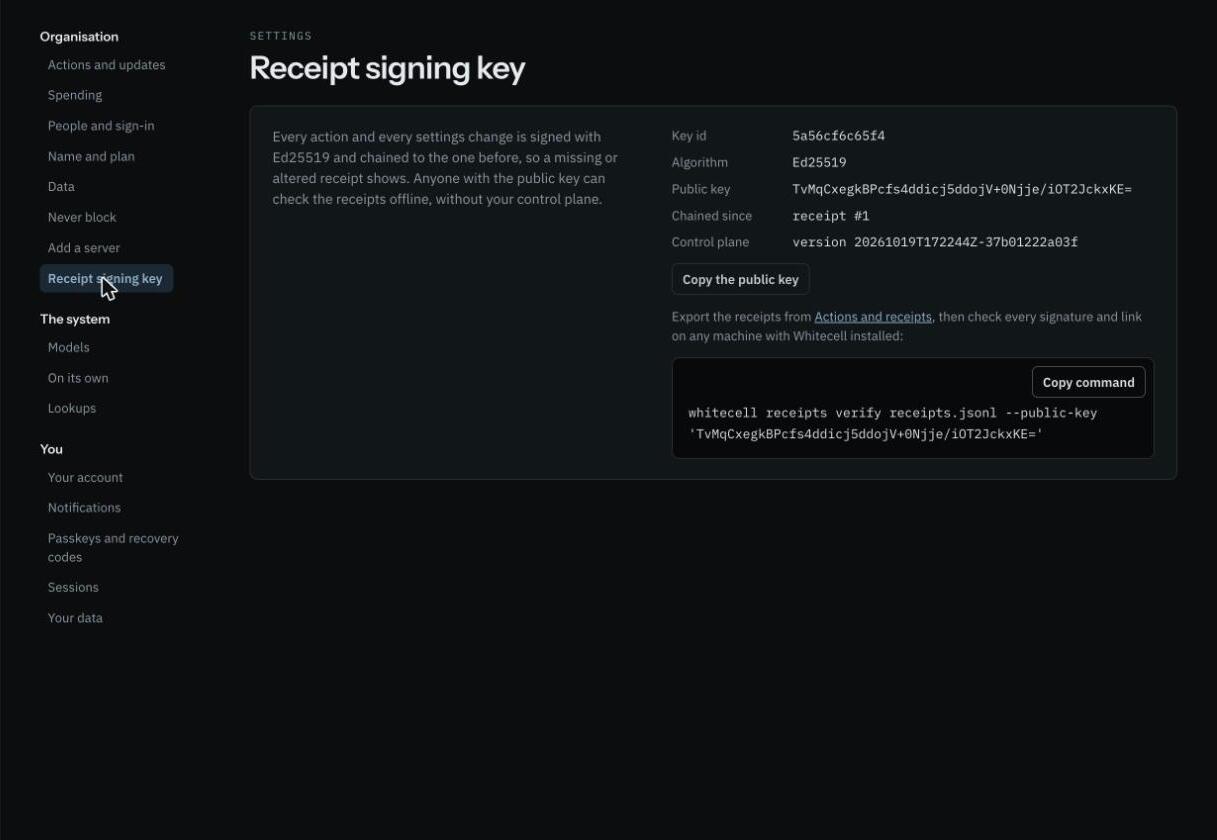
whitecell receipts verify receipts.jsonl --public-key '<the public key>'
Stopping actions without leaving
To stop Whitecell acting while you decide, use the kill switch. Settings, Actions and updates, “Stop all actions”: it “Stops every action on every server at once. Rules and the agent keep recording what they would have done, so you can see what you missed.” Turning actions back on asks you to confirm with your passkey. On one server, or on a control plane of your own:
touch /etc/whitecell/actions.disabled   # on a server: its actor refuses everything
whitecell cp kill on                    # on your own control plane: no action reaches any server
Taking Whitecell off a server
The installer that added the server also removes it. It runs the code already installed and downloads nothing, prints its plan, and asks you to type UNINSTALL before it changes anything.
sudo bash whitecell.sh --uninstall --dry-run   # the plan, nothing changed
sudo bash whitecell.sh --uninstall             # asks for UNINSTALL, then runs
The other flags are --keep-tetragon, --restart-services and --yes, which skips the question. Each step prints done, skipped or failed. It removes:
- Whitecell’s own services, and its nftables tables: the inbound table and each service’s egress table. No other table is touched, and the ruleset is never flushed.
- Its Tetragon policies and the options it set. Tetragon itself stays installed.
- Its drop-ins on your services. A running service keeps their hardening until it restarts;
--restart-servicesrestarts them now. - Its web server include and the decoy files, its CrowdSec whitelists, the AppArmor profiles its earlier builds installed, and its log rotation.
- Its directories, its logs and the
whitecellcommand.
It leaves everything else on the server as it was, and keeps the quarantine directory when a quarantined file is still in it: the output names the directory, so you can delete it once nothing in it is needed. It refuses, changing nothing, on a machine that runs a control plane or the agent. Run it again after a step failed and it finishes what is left. It exits 0 when every step is done or skipped, 1 when a step failed or the answer was not UNINSTALL, and 2 when it refused.
systemctl enable --now firewalld or ufw enable.The uninstall does not tell the control plane. Its last line says: “Retire this server in the console so it stops expecting heartbeats.” The control is “Retire this server”, at the bottom of the server’s page in the console, for owners. A retired server’s page says “Its token no longer works. Its history stays on the record.”
Your data when you leave
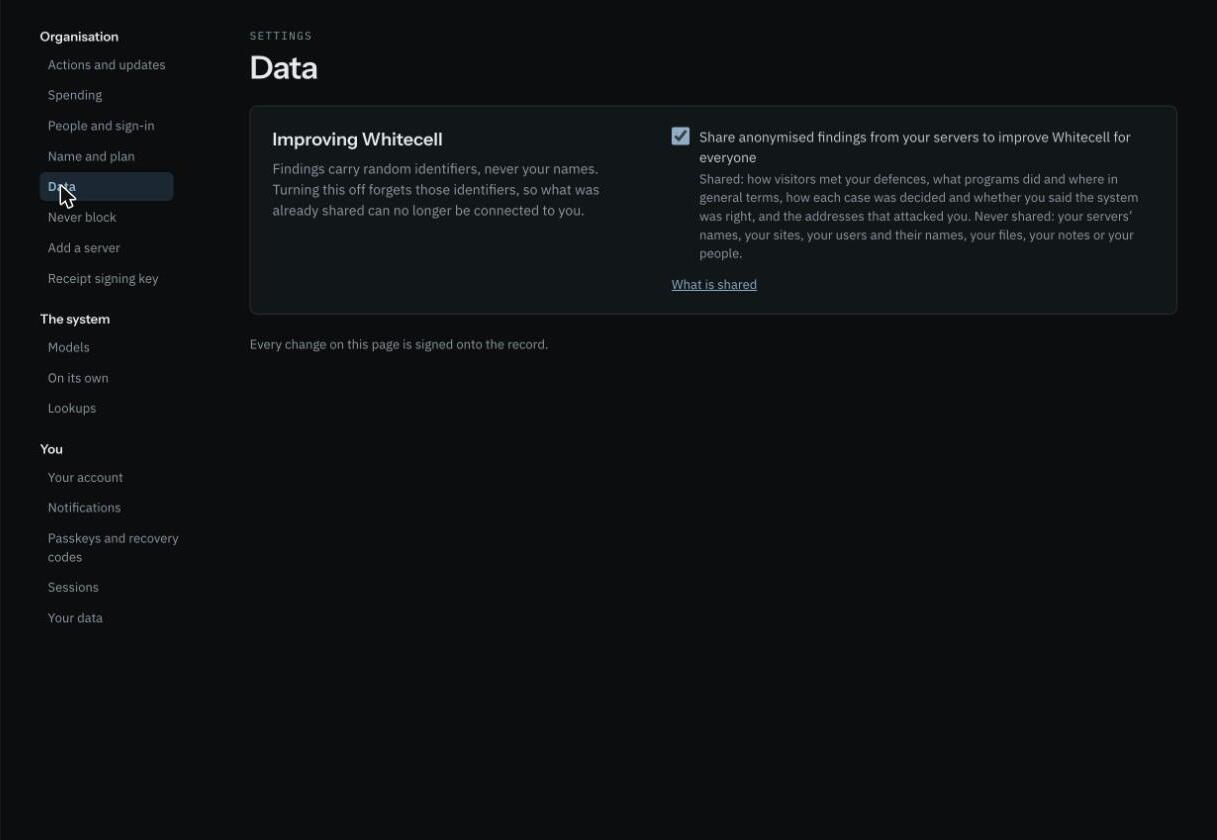
- Anonymised findings. On Settings, Data, an owner clears “Share anonymised findings from your servers to improve Whitecell for everyone”. The card says: “Findings carry random identifiers, never your names. Turning this off forgets those identifiers, so what was already shared can no longer be connected to you.” No further file is written, and findings already extracted are kept without a time limit, as What leaves your server says. The change is a signed receipt.
- Your own account. Settings, Your data, has “Download my data”, one file with your account as the console keeps it, and “Delete my account”. Receipts keep your name and email address on the changes you made.
- The organisation. An owner closes it under Settings, People and sign-in, “Close this organisation”: “Everyone is signed out at once, and the organisation’s data is deleted within 30 days.” You type the organisation’s name and confirm with your passkey. “Copies of the receipts, kept where nobody can change them, stay for 365 days.” Export the receipts first if you want your own copy.
Hosted on your own control plane, none of the records your servers send reach Whitecell’s service. One setting, the control plane’s lookups, turns every outside lookup off, and the daily anonymised file is written to your control plane’s own disk.
Related
- Run it yourself and Stop everything, on the docs page
- Run it yourself, or let us
- What leaves your server
- Every action, signed, and how to check it yourself
- The control plane document in the repository: “Two-box deployment”. The daemon document: “Uninstalling”. The models document: bring your own model.